Your localhost, on your own domain.

TunnelPup is a desktop app that gives the apps on your computer real addresses on a domain you own, through Cloudflare Tunnel. No router ports, no config files, HTTPS included.

Free and open source under the MIT licence, for Windows, macOS and Linux.

Cloudflare Tunnel
Running on your computerlocalhost:
Open to anyone, anywherehttps://.yourdomain.com
Live

Change the name or the port to try it.

TunnelPup's main screen: four routes, each mapping a subdomain of example.com to a local port, with the tunnel shown as Live

From localhost to a link in three steps

You need a free Cloudflare account and a domain. No domain yet? TunnelPup walks you through getting a free one.

  1. Connect Cloudflare

    Click Create token and Cloudflare's form opens with most permissions filled in. Paste the token back, and TunnelPup sets up a tunnel for this computer.

  2. Add a domain

    Use a domain you own, or register a free one with DigitalPlat. TunnelPup shows the two nameservers to set and tells you when the domain is ready for HTTPS.

  3. Add a route

    Type a name, pick the port your app runs on and click Add. Copy the link and share it.

Every link is checked before you see it

TunnelPup makes sure your app is running, sets up the tunnel route and the DNS record, then loads the link through Cloudflare. The route only appears once that works. If a step fails, it undoes the earlier ones and tells you why, right under the form.

  • Ports with something running right now are suggested as one-click chips.
  • Apps that only answer to localhost, like Ollama, Vite, Django and Rails, are detected and handled for you.
  • Change a port by editing the number. Remove a route and its DNS record goes with it.
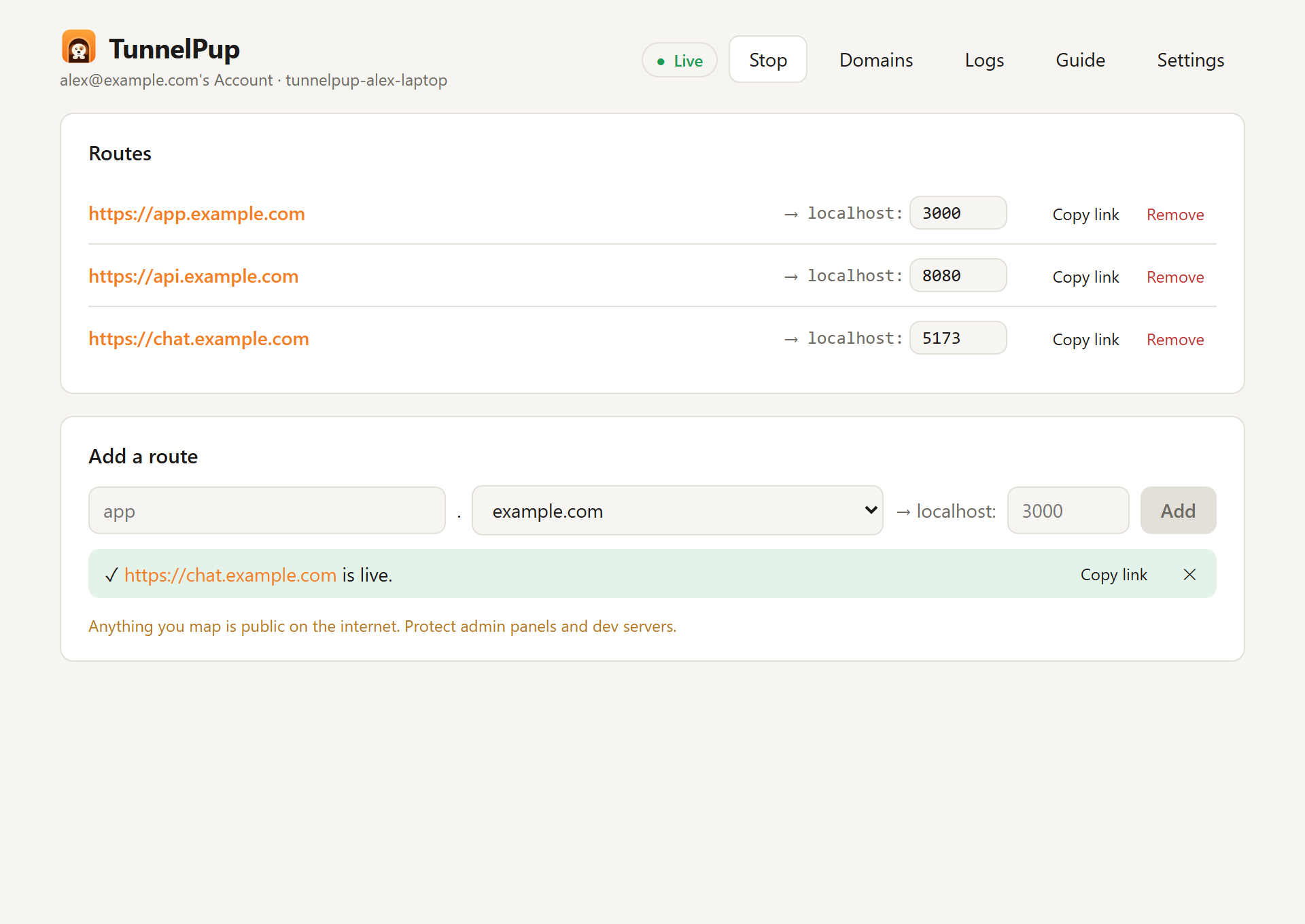
A new route, chat.example.com, has just been added and the form shows it is live with a Copy link button

Your own domain, or a free one

Add a domain you already own and TunnelPup shows the two Cloudflare nameservers to set at your registrar, then follows it until it's live. Or pick a free .dpdns.org, .us.kg, .qzz.io or .xx.kg name from DigitalPlat and follow the steps.

A domain is only offered for routes once its nameservers are set and Cloudflare's HTTPS certificate is issued, so your links work the first time.

The free domain flow: myapp.dpdns.org looks available, with steps from registering it on DigitalPlat to the HTTPS certificate

Status you can trust

A Live, Connecting or Stopped indicator sits at the top, with a banner when your routes are offline and the reason when it's reconnecting. Any route whose app has stopped is tagged App not running.

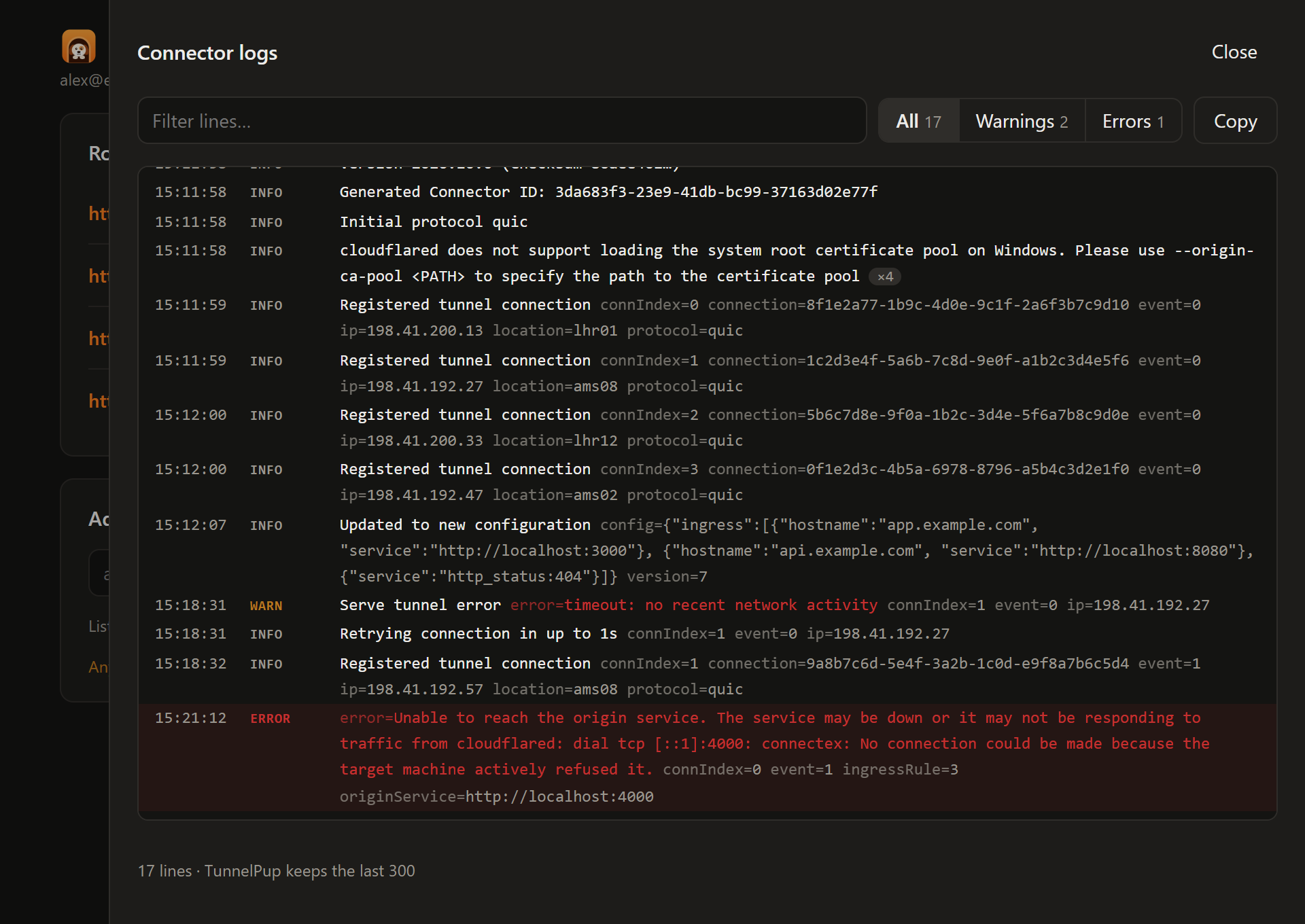
When you need detail, the connector logs are readable: times, levels, errors highlighted, repeated lines collapsed, with filters, search and one-click copy.

The connector logs panel in dark mode, with levels, highlighted errors and filters

Made to stay out of the way

Lives in the tray
Closing the window keeps your links up. Quit from the tray menu.
Starts when you log in
If you want it to, and brings your tunnel back up.
Reconnects by itself
Dropped connections come back without you doing anything.
Leaves your cloudflared alone
TunnelPup runs its own copy with its own tunnel, so an existing setup keeps working.
A built-in guide
How it works and how to fix the common problems, inside the app.
Light, dark or system
It follows your computer's theme unless you pick one.

What happens when someone opens your link

TunnelPup runs Cloudflare's connector on your computer and keeps an outgoing connection open to Cloudflare. Nothing is opened on your router, and your home IP address stays private.

  1. A visitor opens https://app.yourdomain.comFrom any browser, anywhere.
    over HTTPS
  2. Cloudflare answersIts free certificate covers your domain and every name under it.
    down the tunnel
  3. TunnelPup's connector receives itOn your computer, through the connection it already holds open.
    over http, locally
  4. Your app on localhost:3000 repliesExactly as if you'd opened it yourself.

Questions

Is it free?

Yes. TunnelPup is free and open source under the MIT licence, and Cloudflare Tunnel is included in Cloudflare's free plan. You need a domain: one you own, or a free one from DigitalPlat.

How is it different from ngrok or Cloudflare's quick tunnels?

It does the same job of putting an app on your computer on the internet, but on a domain you own, like https://demo.yourname.dev. Your links keep the same address every time you start TunnelPup, so you can bookmark them, send them to clients and put them in a README.

Do I need to use cloudflared on the command line?

No. TunnelPup is a desktop GUI for Cloudflare Tunnel: it bundles cloudflared, creates the tunnel, routing rules and DNS records through Cloudflare's API, and runs the connector for you. You never type a command or edit a config file.

Which apps can I share?

Anything that serves HTTP on your computer: dev servers, dashboards, self-hosted tools and local AI models. TunnelPup forwards to http://localhost and the port you choose.

Can I use it on several computers?

Yes. Each computer gets its own tunnel, named after the computer.

I already use cloudflared. Will TunnelPup interfere?

No. TunnelPup bundles its own copy, named tunnelpup-cloudflared, with its own tunnel, so your existing setup is left alone.

Is TunnelPup made by Cloudflare?

No. It's an independent open-source project that uses Cloudflare's public API and bundles Cloudflare's open-source connector, cloudflared, unmodified.

Download TunnelPup

For Windows 10 and 11, macOS 11 or later, and recent Linux. You'll also need a free Cloudflare account.

Installers for Windows, macOS and Linux are on GitHub Releases. You can also build TunnelPup from source:

git clone https://github.com/mayankjonwal02/Tunnelpup
cd Tunnelpup
npm install
npm run tauri build

Building needs Node.js 20 or later, Rust and the Tauri prerequisites for your system.

See all downloads